Volume discounts and quantity breaks for Shopify
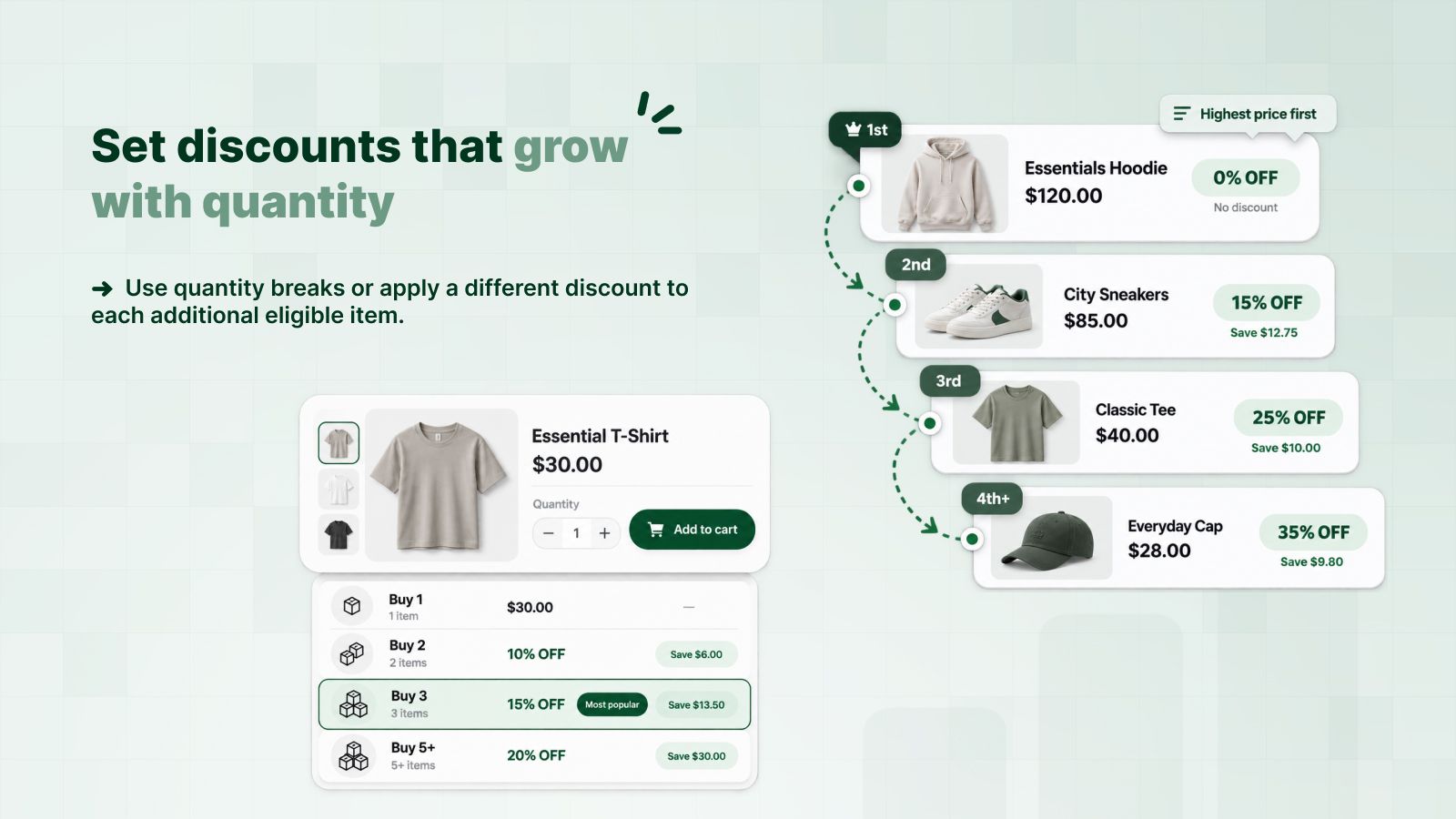
A volume discount gives a better rate as the customer adds more eligible items: 10% off 2 T-shirts, 15% off 3, 20% off 5 or more. In DealUp you write the tiers once, and Shopify applies the right one in the cart and at checkout.
| Essential T-shirt3 × $30.00 | $90.00 |
|---|---|
| Discount (Buy 3: 15% off) | −$13.50 |
| Total | $76.50 |
Set it up in three steps
Pick the products
All products, a collection, chosen products or variants, or products by tag, type or vendor.
Write the tiers
One line per quantity: 2 items 10%, 3 items 15%, 5 items 20%. A tier can take a percentage or a fixed amount off each item.
Turn it on
Run it as an automatic discount or behind a code. Customers see the tier name you wrote next to the price.
What you can adjust
Questions merchants ask
What is the difference between a volume discount and tiered pricing?
Most merchants use both names for the same thing: the rate per item improves at set quantities. In DealUp it is the Quantity discount type. If you want a different rate on each item instead (0% on the first, 15% on the second, 25% on the third), use a progressive discount.
Does it work with Shopify's checkout and my other discounts?
Yes. DealUp runs on Shopify Functions, Shopify's own discount engine, so the discount is calculated at checkout like a native one. You choose which product, order and shipping discounts it can combine with.
Do I need to edit my theme?
No. The discount shows in the cart and at checkout without any theme code. The tier label you write is the text customers read.
Can I limit quantity breaks to wholesale or VIP customers?
Yes. Limit the discount to customer segments, such as customers tagged wholesale, or to specific markets. Excluding a segment or a market needs a paid plan.
Try it on your store
Free plan for small stores. Paid plans from $2.99 a month, with a 3-day trial.
Install free on Shopify