Spend more, save more: tiered discounts on cart value
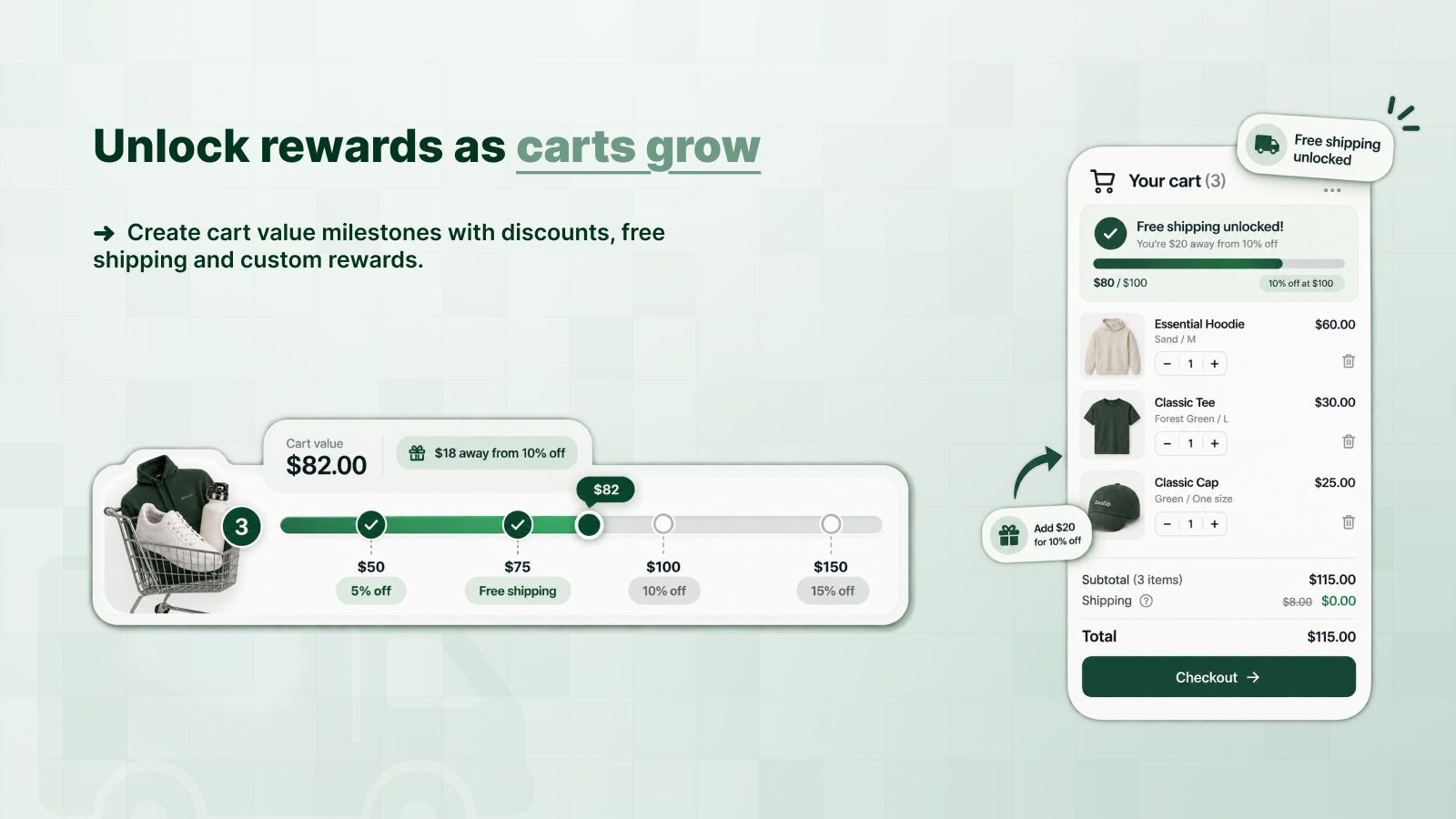
A spend discount improves as the cart total grows: 10% off from $100, 15% off from $150. Set it on the whole cart or only on chosen products, and DealUp applies the right tier at checkout.
| Cart subtotal3 items | $120.00 |
|---|---|
| Discount (Spend $100, get 10% off) | −$12.00 |
| Total | $108.00 |
$30 more and the cart reaches 15% off.
Set it up in three steps
Choose what counts
The whole cart, or only chosen products, collections, tags, types or vendors.
Write the tiers
One line per amount: $100 for 10% off, $150 for 15% off. A tier can be a percentage or a fixed amount.
Turn it on
Automatic or behind a code. Customers see the tier name next to the discount.
What you can adjust
Questions merchants ask
What is a tiered spend discount?
A discount whose rate grows with the cart value: the more the customer spends on eligible items, the bigger the discount. It is also called “spend more, save more” or an order value discount.
Can it be a discount code instead of an automatic discount?
Yes. Every DealUp discount can apply automatically or only when the customer enters a code at checkout.
Can I run it in one country only?
Yes. Limit the discount to specific Shopify markets. Excluding a market needs a paid plan.
Try it on your store
Free plan for small stores. Paid plans from $2.99 a month, with a 3-day trial.
Install free on Shopify