Bulk edit prices and schedule a sale
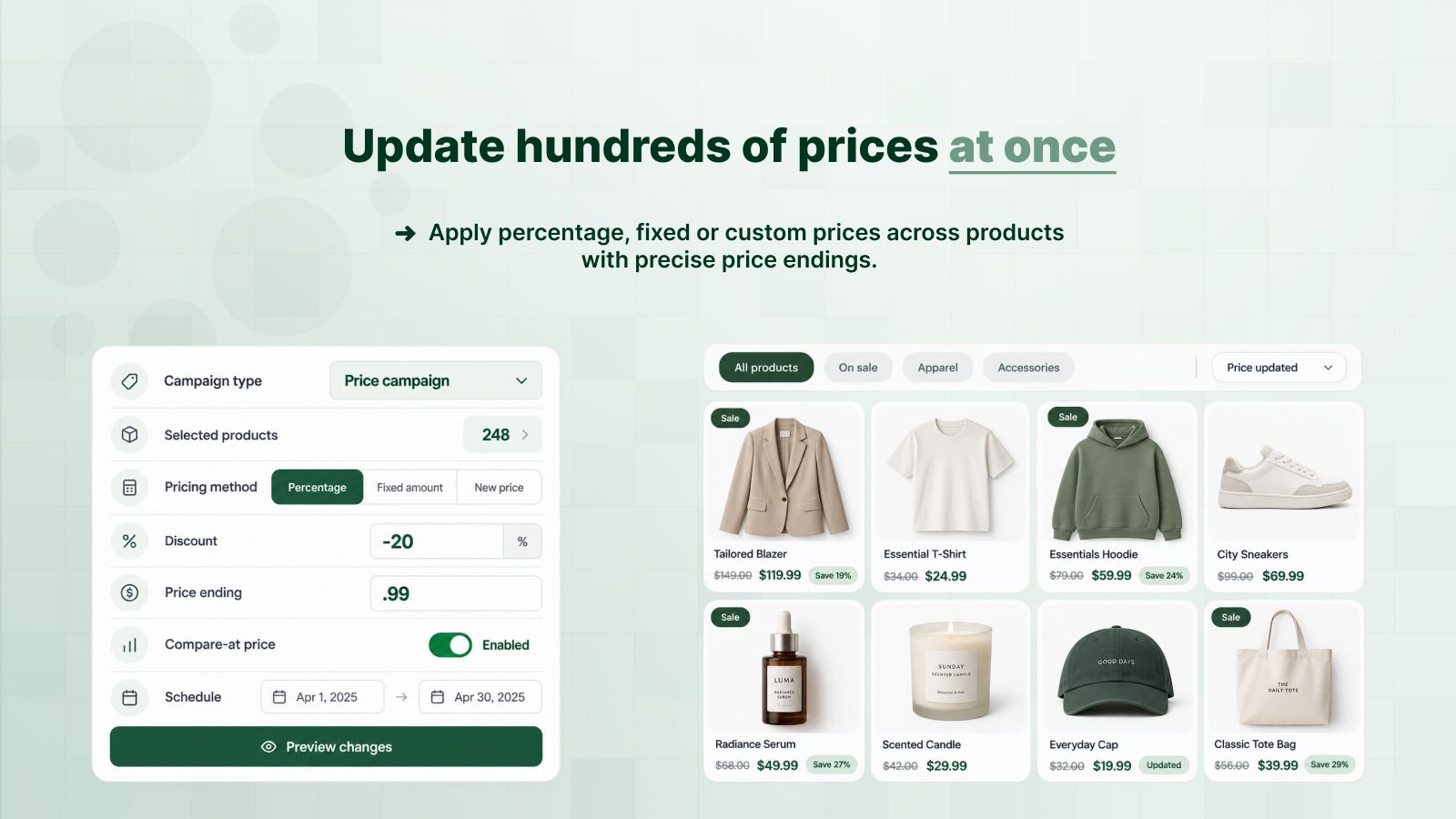
The bulk price editor changes the real price of many products at once: 20% off a collection, ending in .99, with the old price shown struck through. When the campaign ends, DealUp puts every price back by itself.
| Price before the campaign | $50.00 |
|---|---|
| 20% off | $40.00 |
| .99 ending, rounded down | $39.99 |
| Product page shows | $39.99 instead of $50.00 |
When the campaign ends, the price goes back to $50.00.
When to use it instead of a discount
A price campaign changes the price itself, so the sale price shows on product pages, collection grids and in Google Shopping feeds. The other DealUp discounts apply in the cart and at checkout.
Set it up in three steps
Select the products
A collection, chosen products, or products by tag, type or vendor.
Set the new price
A percentage, an amount off, or a new price, with the ending you want.
Schedule it
Start now or on a date. Prices go back when the campaign ends, pauses or is deleted.
What you can adjust
Questions merchants ask
What happens to my prices when the campaign ends?
DealUp writes back each product's original price. The same happens when you pause, stop or delete the campaign.
Does the sale price show on product pages?
Yes. The campaign changes the price stored in Shopify, so every page, feed and sales channel that reads it shows the sale price.
Is the bulk price editor on the Free plan?
Yes, with one price rule and one ending per campaign. Paid plans add compare-at options, price ranges, markets and several endings.
Try it on your store
Free plan for small stores. Paid plans from $2.99 a month, with a 3-day trial.
Install free on Shopify